Why Does Your Phone Have Two IMEI Numbers?
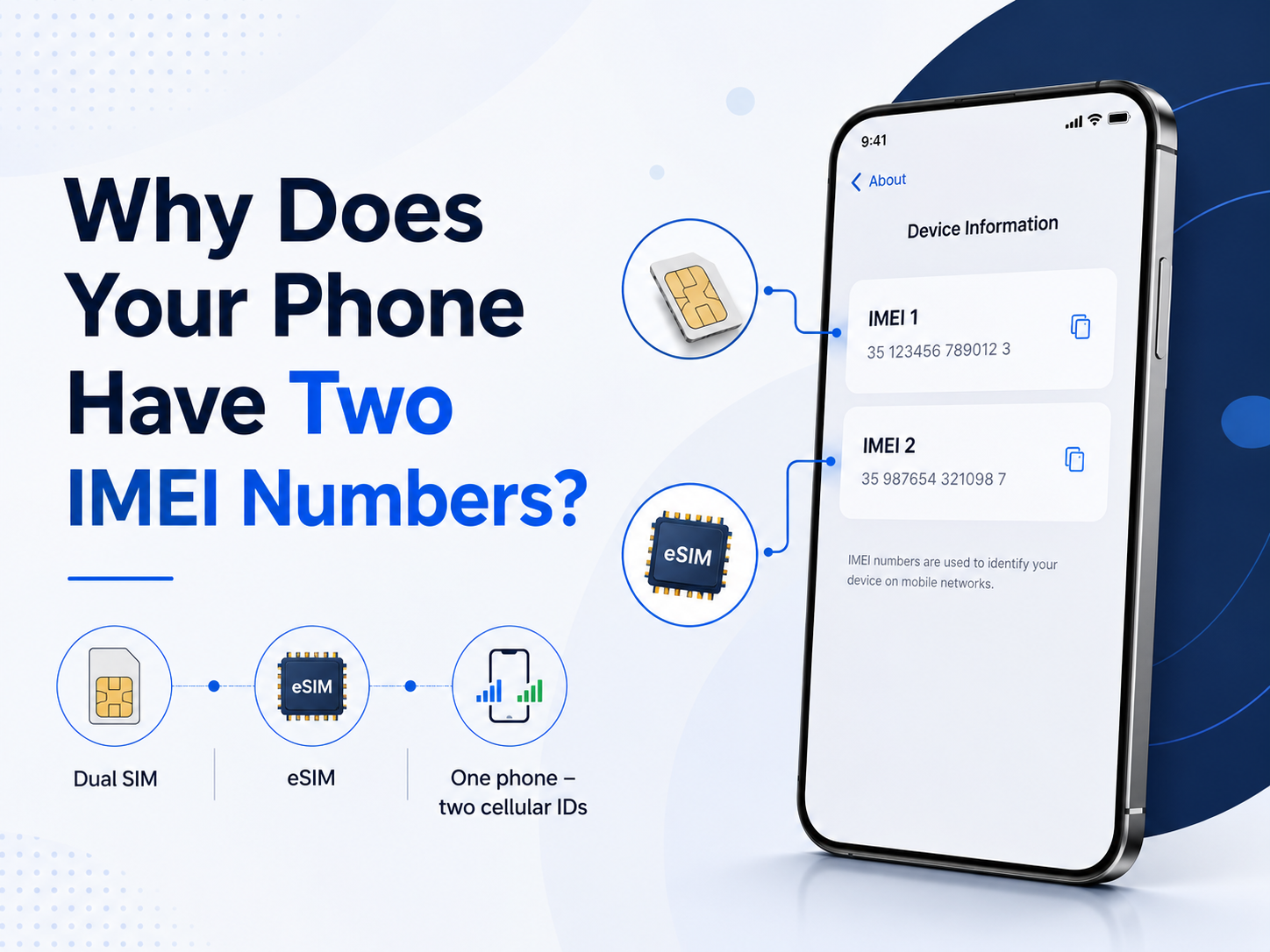
You dial *#06# or open your phone settings and expect to see one IMEI number.
Instead, the phone shows two:
IMEI1
IMEI2
For someone who has never used dual SIM or eSIM, this can look suspicious. It may even raise questions about whether the phone has been modified, repaired or cloned.
In most modern smartphones, however, two IMEI numbers are completely normal.
Why can one phone have two IMEI numbers?
Modern phones can often connect to two mobile lines.
Depending on the model, this may mean:
* two physical SIM cards
* one physical SIM and one eSIM
* multiple eSIM configurations
Each cellular connection path can have its own IMEI.
Google confirms that Pixel phones supporting both a physical SIM and eSIM can have two IMEI numbers. One is used for each type of SIM connection.
So seeing IMEI1 and IMEI2 usually means the phone supports more than one cellular connection.
It does not automatically mean that two phone numbers are currently active.
You can have two IMEIs while using only one SIM
This is where many users get confused.
Imagine you buy a dual SIM phone but insert only one SIM card.
The phone can still display:
IMEI1
IMEI2
The second identifier exists because the hardware supports another cellular connection, even if you are not currently using it.
The same can happen with a phone that has one physical SIM slot and eSIM capability.
What is IMEI1?
IMEI1 is generally associated with the first cellular connection used by the device.
On Pixel phones with two IMEIs, Google explains that IMEI1 is usually paired with the first SIM configured on the phone. The exact association can still depend on the device and carrier configuration.
For everyday use, IMEI1 is often the identifier people encounter first.
But that does not make IMEI2 less valid.
What is IMEI2?
IMEI2 identifies the second cellular connection available on the phone.
Depending on the device, that may be:
* SIM slot 2
* an eSIM connection
* another supported mobile line configuration
Some carriers may specifically ask for IMEI2 when activating an eSIM.
Google mentions this in its Pixel documentation - when setting up eSIM for dual SIM use, the operator may request IMEI2.
This is why providing the correct IMEI matters when dealing with carrier support.
IMEI2 is not your second phone number
IMEI and phone number are completely different things.
Your phone number belongs to your mobile subscription.
The IMEI identifies the device's cellular equipment.
You can change:
* SIM card
* mobile operator
* phone number
without automatically changing the phone's IMEI.
Likewise, simply seeing two IMEIs does not mean two telephone numbers are currently assigned to the phone.
Where does eSIM fit into this?
eSIM has made the distinction between IMEI1 and IMEI2 more visible.
A phone no longer needs two physical SIM slots to support two mobile connections.
For example, a device may have:
* one nano-SIM
* one eSIM
* IMEI1
* IMEI2
* EID
The EID is another identifier and should not be confused with IMEI2.
Google explains that a phone needs an IMEI to use a mobile network, while an eSIM-capable device also has an EID associated with its embedded SIM functionality.
IMEI2 and EID are not the same thing
This distinction is important when activating an eSIM.
IMEI2 identifies cellular equipment.
EID identifies the embedded SIM hardware used for eSIM provisioning.
A carrier may ask for:
* IMEI1
* IMEI2
* EID
depending on what you are trying to activate.
If the operator asks for EID and you send IMEI2 instead, the activation process may fail even though both numbers came from the same phone.
Why does this matter when checking a used phone?
If you are checking a dual SIM smartphone, looking at only one IMEI may not always give you the complete picture.
For example, a seller may provide IMEI1 while the phone also has IMEI2.
It is useful to know that both numbers belong to the same device configuration.
When available, IMEI24 can help identify information connected with the IMEI, such as:
* manufacturer
* exact model
* Product Name
* SKU
* storage
* regional or device variant
* blacklist status
This can help confirm whether the information returned for the IMEI matches the phone being offered.
However, IMEI1 and IMEI2 should not be treated as two completely separate smartphones.
They are identifiers associated with cellular functionality inside the same handset.
Can one IMEI be blacklisted while the other is not?
This is where things become more complicated.
IMEI1 and IMEI2 are separate identifiers, so databases can technically contain information associated with each number individually.
This is one reason why, when checking a dual SIM device, it may be useful to verify both numbers if the relevant service supports it.
Do not assume that checking IMEI1 automatically tells you everything that may be recorded about IMEI2.
Where can you find IMEI1 and IMEI2?
The easiest method on many phones is:
*#06#
The device may immediately display both numbers.
You can also find them in the system settings.
On Android, the exact menu depends on the manufacturer, but the numbers are normally available under information such as:
Settings - About phone
On Pixel devices, Google lists the phone settings, original box and SIM tray among the places where IMEI information may be available.
The original packaging may also show both IMEI numbers.
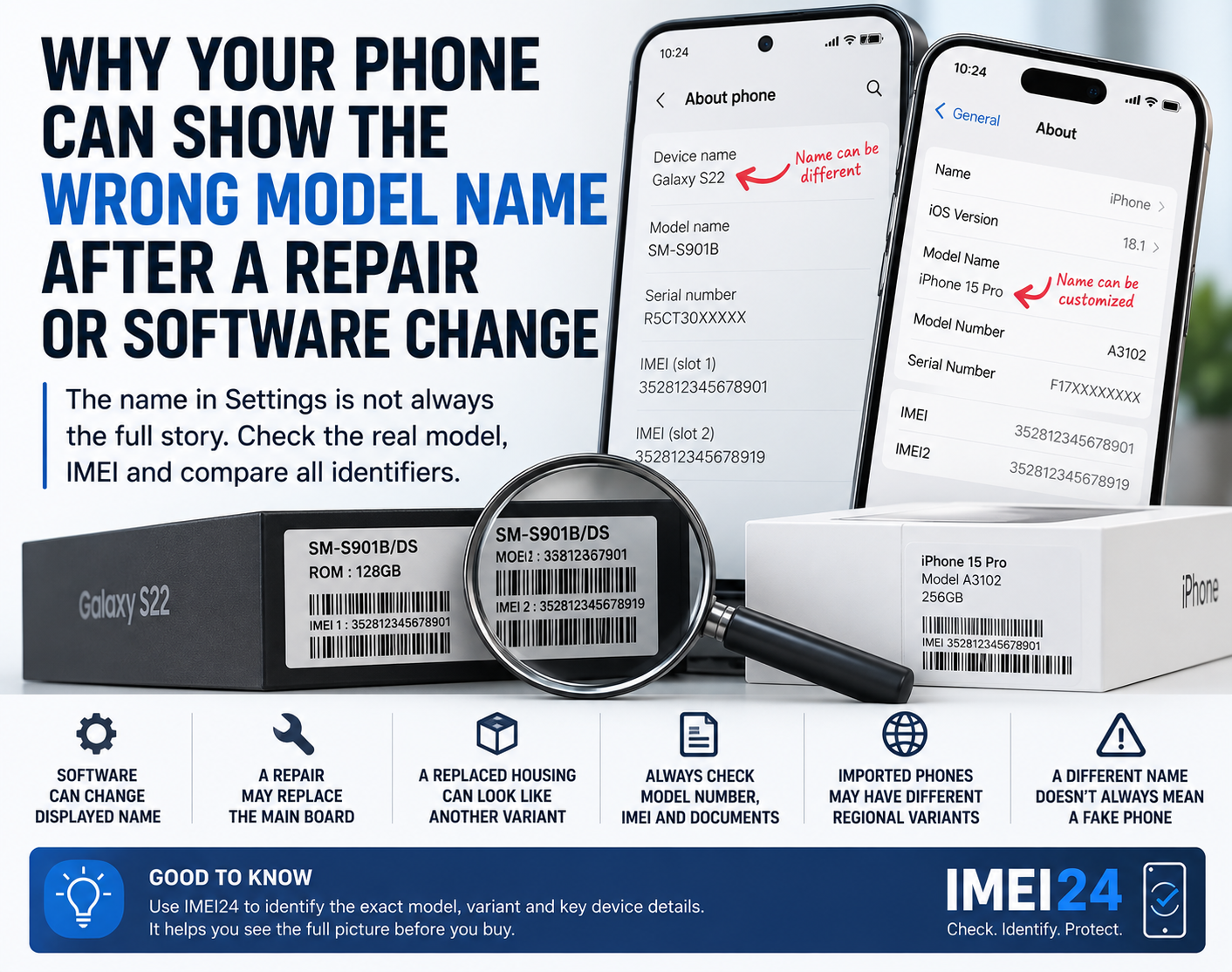
Why does the box sometimes show more numbers than expected?
A modern smartphone box can include several identifiers:
* IMEI1
* IMEI2
* serial number
* EID
* model number
* other manufacturer codes
They do not all mean the same thing.
This is why copying the first long number you see is not always enough when talking to a carrier or checking a device.
Look at the label next to the number.
Which IMEI should you use?
It depends on what you are doing.
If a carrier asks specifically for IMEI2 during eSIM activation, provide IMEI2.
If you are identifying the phone or checking device information, make sure you know which IMEI you are using and whether the phone has another one.
If you are buying a used dual SIM phone, recording both can be useful.
And if customer support asks for an IMEI, do not assume they mean whichever number appears first - ask which one they need if the phone shows two.
Two IMEIs usually mean more connectivity, not a problem
Seeing two IMEI numbers can look strange if you are used to older single SIM phones.
But on a modern dual SIM or eSIM device, it is usually exactly what you should expect.
IMEI1 and IMEI2 do not mean that you own two phones.
They mean that one phone has more than one cellular connection path.
Understanding the difference becomes particularly useful when activating eSIM, contacting a carrier, checking a used device or simply trying to understand all the numbers displayed in your phone settings.